

Imagine this. You’re a small creator, a coach, or a business owner in Mumbai, Delhi, Bengaluru, or anywhere in the world. You record one 30-minute video full of value… then it just sits on your channel, barely reaching anyone. Meanwhile, short clips, Reels, and YouTube Shorts are exploding your competitors’ brands.
With Vizard AI, transforming long-form videos into short, social media–ready clips has never been easier. You simply upload your video or paste a link, and the platform automatically transcribes, detects key highlights, and suggests edits based on the most engaging moments. It also provides auto-captioning, smart reframing, and aspect ratio adjustments tailored for platforms like YouTube Shorts, Instagram Reels, and TikTok.
This tool has become a game-changer for creators, educators, and marketers who regularly produce webinars, interviews, or podcasts. Instead of spending hours manually trimming footage, Vizard AI allows them to repurpose existing content into multiple bite-sized formats — saving time while boosting audience reach and engagement.
It’s especially useful for those who want to maintain consistency across social platforms without hiring a full-time editor.
Now imagine a tool that watches your long video like a smart editor, picks out the best moments, adds captions, resizes for every social platform, and hands you ready-to-publish clips — all while you sip your chai or coffee.
That’s exactly where vizard ai steps in.
What is Vizard AI?
vizard ai is an AI-powered video repurposing and editing platform that helps you turn long-form content (webinars, podcasts, interviews, tutorials, classes) into short, engaging, social-ready clips — in just a few clicks.
Instead of manually scrubbing through footage, cutting, trimming, and adding text, you let the AI do the heavy lifting while you focus on ideas and storytelling. It offers auto-transcription, highlight detection, subtitles, templates, and easy export options for platforms like YouTube, TikTok, Instagram Reels, LinkedIn, and more.
The beauty of vizard ai is that it’s built for beginners as much as professionals. You don’t need editing skills, a fancy laptop, or a big agency. If you can upload a file and click a few buttons, you can produce polished clips that look like they came from a full-time editor.
Of course, like any AI-based system, it’s not perfect — some highlighted moments may not fully match your creative intent. That’s why a final human touch is always recommended. Still, for anyone looking to maximize the impact of their video library and maintain an active digital presence, Vizard AI stands out as a reliable and intelligent assistant.
Quick fact: Short-form clips from long-form content consistently see higher completion rates and engagement on social media. Tools like vizard ai make that workflow accessible to solo creators, educators, brands, and agencies everywhere.
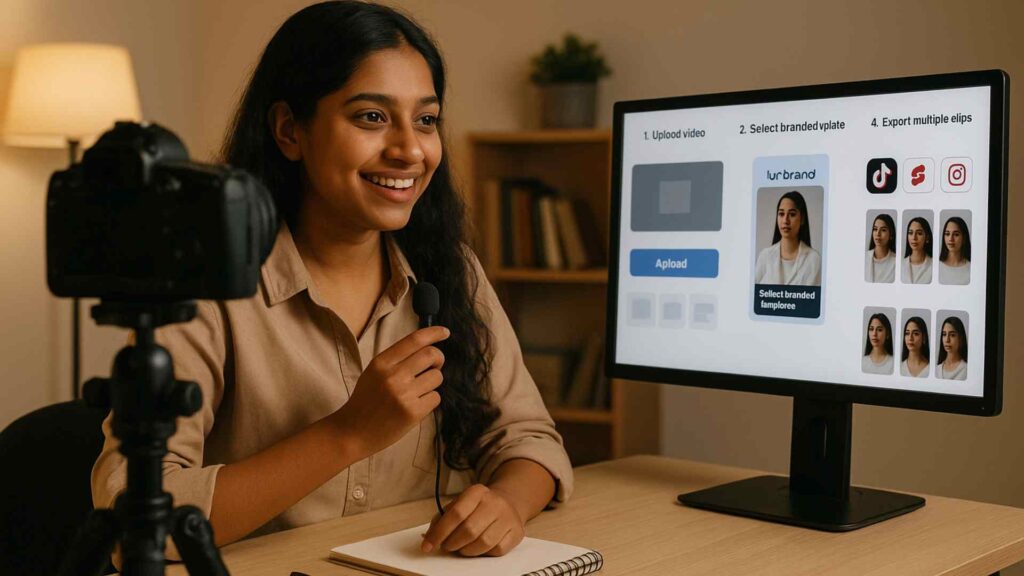
How Does Vizard AI Work? (Step-by-Step for Absolute Beginners)
If you’re new to AI tools, don’t worry. Let’s walk through how vizard ai fits into your content workflow in a simple, beginner-friendly way.
Step 1: Sign Up & Log In
- Visit the official website.
- Sign up with your email or Google account.
- Choose the free or trial plan to explore features before upgrading.
Step 2: Upload or Import Your Video
- Upload a video from your computer, or paste a YouTube / Zoom / webinar link.
- This could be:
- A 45-minute educational webinar
- A 1-hour Hindi podcast episode
- An online class, sermon, product demo, Zoom meeting, investor pitch, or workshop recording
- vizard ai automatically starts processing your file.
Step 3: Auto-Transcription & Scene Detection
- The tool converts speech into text (transcription).
- It detects key moments, speaker changes, and hooks — those lines that would stop someone scrolling.
- For Indian creators, this is powerful for multilingual content, because you can generate captions in English, Hindi, or other supported languages depending on the tool’s options.
Step 4: AI Clip Suggestions
- vizard ai suggests multiple short clips automatically based on what’s most engaging.
- Each suggested clip already comes trimmed with correct start and end times.
- You can quickly review, adjust, or delete any clip before exporting.
Step 5: Customize with Captions, Layouts & Branding
- Add auto-captions (a must for muted viewers on Reels and Shorts).
- Resize for vertical (9:16), square (1:1), or horizontal (16:9).
- Apply templates so your clips look branded with your logo, fonts, or colors.
- Beginners love this stage because it feels like drag-and-drop, not “complex editing”.
Step 6: Export & Publish Everywhere
- Download your clips in high quality.
- Or post directly to YouTube Shorts, Instagram, TikTok, LinkedIn, etc., depending on available integrations.
- In one session, you can turn a single video into 10, 15, or even 30+ usable clips using vizard ai.

Why Vizard AI Matters in 2025 (Especially for Beginners & Indian Creators)
Attention spans are shrinking. People want short, sharp, clear content. But creating daily short videos from scratch is exhausting.
Here’s why vizard ai is a game-changer:
1. Saves Time & Mental Energy
- No more spending hours scrubbing a timeline.
- The AI does 80% of the work; you just review and refine.
- Ideal for busy students, side-hustlers, and solo founders.
2. Turns One Video into a Content Library
- One webinar → a week of Reels.
- One podcast → multiple quote clips, hooks, and highlight moments.
- With vizard ai, your “evergreen content” keeps working for you.
3. Great for Indian & Global Markets
- Trainers in Pune can repurpose Zoom classes into Shorts to attract new students.
- A D2C skincare brand in Delhi can turn founder videos into trust-building reels.
- A stock market coach in Ahmedabad can convert long Q&A sessions into bite-sized explainers.
- Regional creators can convert local-language talks into captioned clips to reach global viewers (depending on language support).
4. Beginner-Friendly Interface
- Clean, guided workflow.
- Most actions in just a few clicks.
- No editing jargon required.
5. AdSense & Brand Friendly
- More high-quality posts → better chances of higher watch-time and monetization.
- vizard ai helps you present your genuine expertise without resorting to clickbait.
Core Features & Components of Vizard AI (At a Glance)
Here’s a simple look at what you’ll usually find inside vizard ai and similar AI video platforms:
| Feature / Component | What It Does | Why It Helps Beginners |
|---|---|---|
| AI Video Repurposing | Automatically finds highlights from long videos and creates short clips. | No manual hunting for “best moments”. |
| Auto Transcription | Converts speech to text. | Makes editing, captioning, and reuse easier. |
| Auto Subtitles & Captions | Adds on-screen text in different styles. | Boosts watch time; perfect for muted viewing. |
| AI Clip Suggestions | Detects strong hooks and punchlines. | Ideal if you’re unsure what will perform well. |
| Templates & Branding | Pre-made layouts for fonts, frames, colors, placements. | Gives a professional look in seconds. |
| Resize & Aspect Ratios | Adjusts videos to vertical, square, or horizontal. | Makes multi-platform posting easy. |
| Multi-Platform Export | Lets you download or share directly. | Saves time switching between tools. |
| AI Text-to-Video (where available) | Turns simple text prompts into videos. | Great for faceless or shy creators. |
Note: Exact features, languages, and limits depend on the current plan and updates, so always check the latest info on the official site before choosing a subscription.
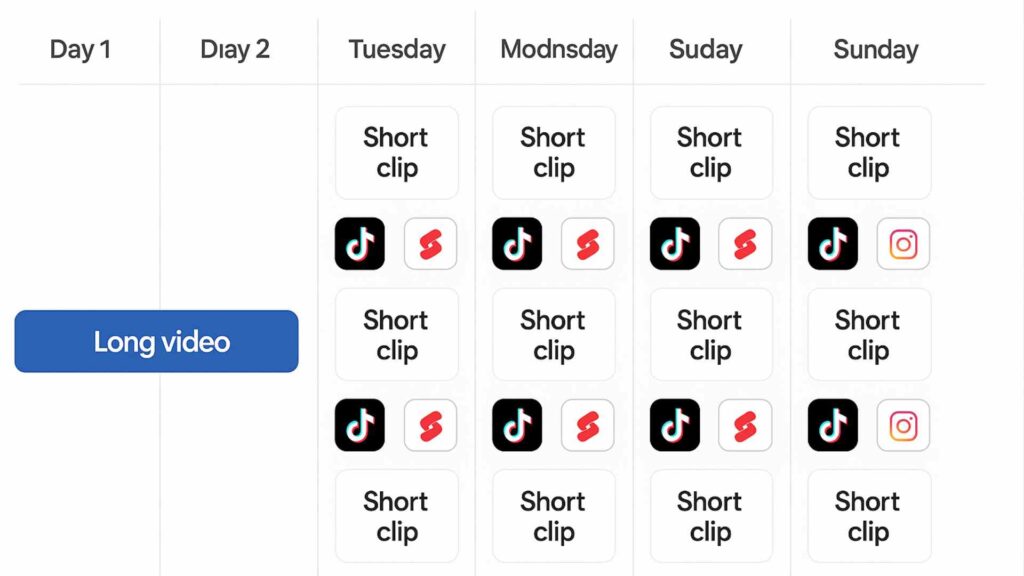
How to Start with Vizard AI: A Simple Beginner’s Blueprint
If you feel overwhelmed, use this straightforward roadmap to get maximum value from <strong>vizard ai</strong> in your first week.
Day 1: Set Up & Explore
- Create your account.
- Upload one long-form video (podcast, Zoom call, webinar, Instagram Live, course module).
- Let vizard ai auto-generate 5–15 clips.
Day 2: Polish Your First Batch
- Open each AI-generated clip.
- Trim 1–2 seconds from start or end to tighten the hook.
- Add captions in a clean readable style.
- Add your logo if you have one.
Day 3–4: Publish Consistently
- Post 1–3 clips per day to YouTube Shorts, Instagram Reels, Facebook, TikTok, LinkedIn.
- Use simple, clear titles and relevant hashtags.
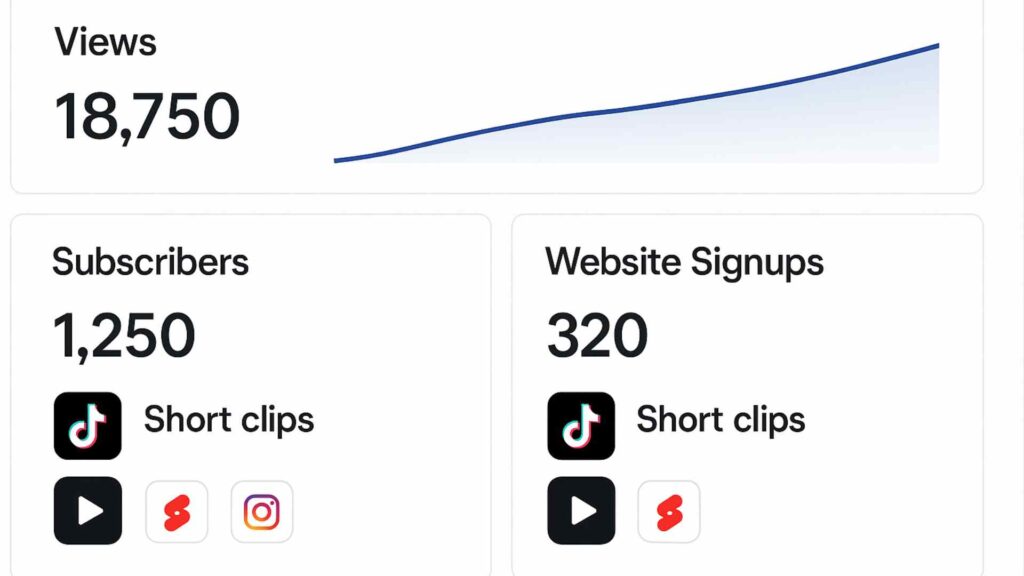
- Observe which clips get more views and watch-time.
Day 5–7: Analyze & Improve
- Notice patterns: Which hooks, topics, or styles perform best?
- Apply those learnings to your next long-form recording.
- Repeat with vizard ai. This feedback loop is where real growth happens.
Real-World Use Cases & Stories (Including India)
1. The Online Teacher from Jaipur
An English tutor runs live Zoom classes for IELTS students. Earlier, her 1-hour sessions were watched once and forgotten. After adopting vizard ai, she:
- Uploads each recorded session.
- Generates 12–18 short clips on vocabulary, speaking tips, grammar fixes.
- Posts them daily on Instagram and YouTube Shorts.
- Within 90 days, her following and demo sign-ups increase significantly.
2. The D2C Brand Founder in Delhi
A skincare founder records ingredient explainers and skincare routines. With vizard ai:
- Each educational video becomes a series of myth-busting clips.
- Captions highlight key benefits like “fragrance-free” or “safe for Indian skin”.
- Short videos drive traffic to the website and marketplaces.
3. The Podcaster in Bengaluru
A startup podcaster struggles to push full episodes. Using vizard ai
- He auto-generates highlight clips from each interview.
- Shares them on LinkedIn, X, and Shorts.
- Attracts founders, investors, and operators who then watch the full episodes.
4. The Solo Creator Anywhere
Whether you’re in Kolkata, London, Dubai, or New York:
- Record one strong long-form video weekly.
- Run it through vizard ai.
- Distribute clips daily.
- Build credibility, community, and income without burning out.
Vizard AI vs Other Tools & Manual Editing (Comparison Table)
| Tool / Method | Best For | Pros | Cons |
|---|---|---|---|
| vizard ai | Creators, coaches, brands needing fast social clips | Beginner-friendly, AI highlights, captions, repurposing focused | Advanced features may require paid plans; needs internet |
| Manual Editing (Premiere Pro, Final Cut) | Professional editors, cinematic content | Full creative control | Time-consuming, steep learning curve |
| Other AI Clippers | Creators chasing quick automation | Strong automation, viral hooks in some tools | Interfaces, pricing, or results may not suit everyone |
| Mobile Editing Apps Only | Super casual or on-the-go edits | Fast, easy for short footage | Not ideal for serious long-form repurposing |
Insight: If your goal is to turn serious, value-packed long-form videos into branded, platform-ready clips without hiring an editor, vizard ai sits in the perfect middle ground.
Beginner-Friendly Content Strategy with This AI Tool
Having the tool is not enough. Here’s a simple system anyone can follow.
Step 1: Pick a Clear Niche
Are you helping:
- Exam aspirants
- Freelancers
- Small business owners
- New investors
- Fitness beginners
A focused niche makes every clip relevant and binge-worthy.
Step 2: Design “Clip-Worthy” Long Videos
Structure your 20–40 minute videos into mini segments:
- Hook
- Tip or framework
- Real example (India/global)
- Simple action steps
Now the AI can detect natural highlight points.
Step 3: Follow a Weekly Posting Blueprint
| Day | Main Task | Output |
|---|---|---|
| Monday | Record 1 long video | Raw content ready |
| Tuesday | Upload & auto-generate clips | 10–25 draft clips |
| Wednesday | Edit & brand 5 clips | 5 polished shorts |
| Thursday | Publish 2–3 clips | Fresh visibility |
| Friday | Publish 2–3 more clips | Reinforce your message |
| Saturday | Review analytics | Insights for next week |
| Sunday | Rest / plan | Sustainable system |
This routine is realistic for beginners and powerful enough for growing brands.
Monetization Opportunities Unlocked
Using this kind of AI tool isn’t just “cool tech”. It’s a revenue enabler.
1. Faster YouTube Growth & AdSense
- More short clips → more entry points into your channel.
- Shorts push viewers to your long videos, where AdSense pays.
- Clean, educational content stays policy-safe and sponsor-ready.
2. Brand Deals & Sponsorships
- Consistent, well-edited clips attract serious brands.
- Even micro-creators in India can land deals when their content looks pro.
- Strong storytelling + steady presence beats random viral spikes.
3. Courses, Coaching & Services
- Use repurposed clips as mini proof, FAQs, and samples of your teaching.
- Link to your course, consulting, or workshops from your bio and descriptions.
4. Evergreen Lead Generation
- Smartly titled short clips keep ranking in search and suggested feeds.
- Each piece can invite viewers to join your email list, community, or funnel.
Technical Terms Explained Simply
- Repurposing: Turning one long video into many small pieces.
- Transcription: Converting speech into written text.
- Captions/Subtitles: Text on-screen so people can watch on mute.
- Aspect Ratio: The shape of your video (vertical, square, horizontal).
- Hook: The first 2–3 seconds that make people stop scrolling.
When these are automated, you focus on your ideas instead of wrestling with software.
Who Should Definitely Try This Style of AI Editing?
- Coaches & Trainers – Clip your Zoom calls into marketing assets.
- EdTech Startups – Turn lectures into teasers and explainer shorts.
- NGOs & Social Leaders – Spread awareness with simple, frequent clips.
- Local Businesses – Use product demos, FAQs, and testimonials in short form.
- Religious/Spiritual Teachers – Share 30–60 second wisdom bites daily.
- Podcasters – Turn every episode into multiple discovery points.
Expert Tips to Get the Most from Vizard AI
1. Start with Strong Long-Form Content
- Plan your sessions; don’t ramble.
- Clear segments = better clips from vizard ai.
2. Talk in Hooks
Use lines like:
- “Most beginners get this wrong…”
- “If you’re just starting, remember this…”
- “In India, nobody explains this clearly, but…”
These become natural hooks for shorts.
3. Use Captions Smartly
- Always enable captions.
- Keep fonts simple, ensure contrast, avoid clutter.
4. Brand Your Clips
- Add a small logo.
- Keep colors and styles consistent.
5. Batch Your Workflow
- Record once.
- Repurpose in bulk using vizard ai.
- Schedule across the week.
6. Respect Each Platform
- Vertical for Reels/Shorts/TikTok.
- 20–60 seconds for quick, high-retention clips.
- Test titles, thumbnails, and hooks.
Common Mistakes Beginners Make (and How to Avoid Them)
- Uploading poor audio: Even the best AI can’t save noisy sound. Use a basic mic.
- Accepting every auto-clip blindly: Review what vizard ai suggests; select only clear, valuable bits.
- No context: Add 1–2 seconds of setup if the clip feels confusing.
- Over-designing: Too many emojis, effects, or fonts distracts. Keep it clean.
- Quitting too early: Real growth comes from 3–6 months of consistent publishing.
FAQs About Vizard AI
1. Is it suitable for complete beginners?
2. Can I use it for Indian languages or regional content?
3. Is it free?
4. Can I rely only on AI clips to grow?
5. Does it work for podcasts and webinars?
6. Is the content safe for monetization?
7. Do I need a powerful PC?
Final Action Plan (Read This Before You Close)
If you’re hesitating because you feel “too beginner” or “not tech-savvy enough”, remember: the internet rewards those who start simple and stay consistent.
- Pick one clear topic.
- Record one honest, value-packed long video.
- Run it through vizard ai or your chosen AI repurposing tool.
- Publish a week’s worth of short clips.
- Observe what resonates and repeat.
In a few months, this quiet, systematic approach can do more for your brand, channel, or business than chasing random viral trends. Your experiences, stories, and skills deserve more than one upload. Let smart, ethical automation help them travel further.
Also Read:-
12 Amazing Health Technology Innovations Driving the Future of Medicine